
Now that the Nook Glow has been released, development is already underway to get it rooted just like the original Nook Simple Touch. But the #1 most important thing to do before rooting or experimenting with any hacking is to create a backup so that you can restore your Nook Glow or Nook Touch to […]
How To
How to Root the Pandigital Planet and Install Google Apps
The one question that I’ve been getting asked more than anything else here lately is how to root the Pandigital Planet and install Google apps to get access to Google’s Android appstore. The Pandigital Planet is an inexpensive Android tablet that runs Android 2.3.4 Gingerbread (at least it is supposed to; mine is stuck on […]
Root a Nook Tablet Using a Memory Card – Super Easy
A little over two months ago, I posted the Nook Tablet Rooting Guide for a complete walkthrough on rooting the 16GB Nook Tablet and setting up drivers on a Windows computer. Since then things have changed. The rooting process is simpler now, thanks to an SD card rooting method. You simply burn an image to […]
CM7 SD Cards Now Available for Nook Tablet, Here’s How to Make One
Good news for Nook Tablet owners. You can now run CyanogenMod 7 for a custom, open version of Android 2.3 Gingerbread off a memory card on both an 8GB and 16GB Nook Tablet right out of the box, no rooting or hacking required. CM7 improves the Nook Tablet’s functionality quite a lot. It offers more […]
Nook Tablet with Android 4.0 Ice Cream Sandwich Review and How To (Videos)
There is now an Alpha release of CyanogenMod 9 available on the Nook Tablet for Android 4.0 Ice Cream Sandwich. The build is still in its early stages of development so it’s not recommended for public consumption at this point, but I went ahead and installed it anyway and am surprised by how well it […]
Rooting Directions for 8GB Nook Tablet Plus Android Market (Video)
A couple weeks ago Barnes and Noble released an 8GB Nook Tablet for $199 to go along with the original 16GB Nook Tablet for $249. It turns out that rooting an 8GB Nook Tablet doesn’t work with the same method as the original Nook Tablet—it’s a good way to brick it, though—because the process is […]
Kindle Fire Android 4.0 Ice Cream Sandwich Review and How To (Video)
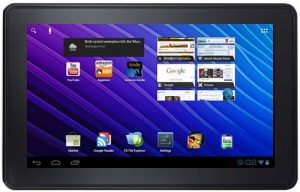
Running Android 4.0 on the Kindle Fire is one of the many options to change out the operating system from Amazon’s version to one that is more open and widely available on other tablets and smartphones. I’ve already posted a review and how to guide for CM7 on the Kindle Fire, a custom version of […]
Kindle Fire Hacking: Using TWRP Recovery to Install ROMs and Create Backups
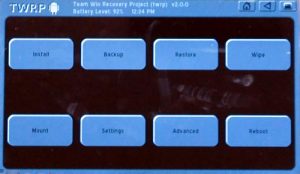
This article will show you how to install and use TWRP Recovery on the Kindle Fire to flash custom ROMs on it to transform it into a completely new tablet with different builds of Android—CM7, aka Cyanogenmod 7, for Android 2.3.4 or CM9 for Android 4.0, MIUI, Android 4.1 Jelly Bean, and various other ROMs. […]